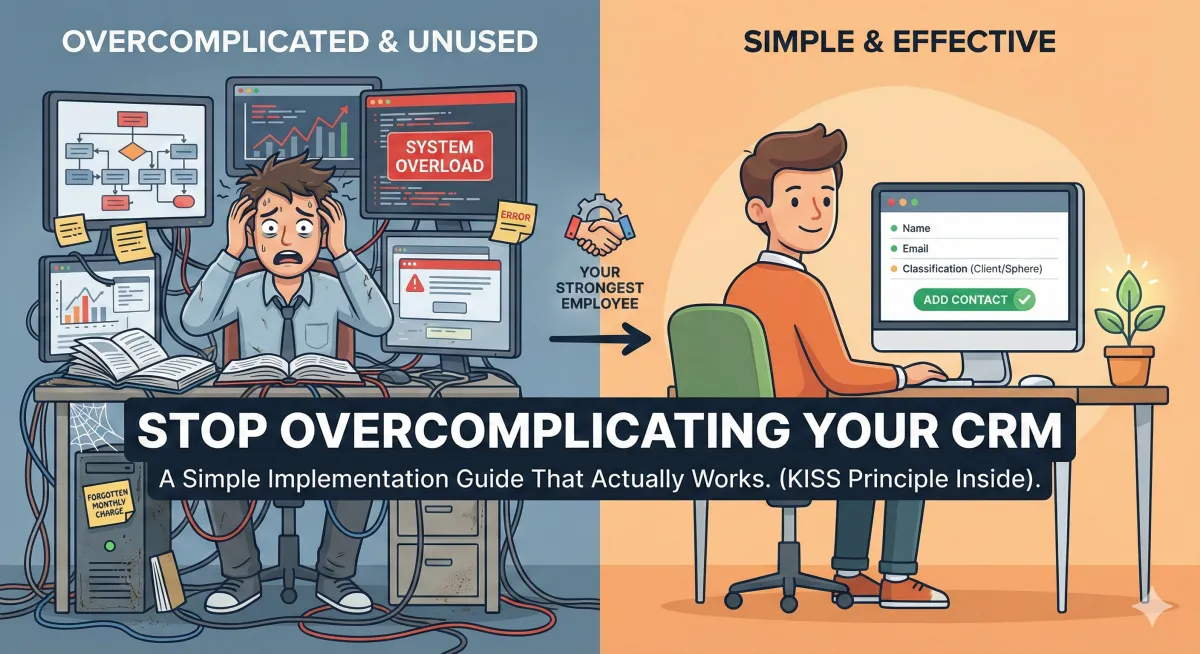
Stop Overcomplicating Your CRM: A Simple Implementation Guide That Actually Works
I've bought multiple CRMs during my real estate career.
I've successfully implemented exactly zero of them.
Every single time, the pattern was the same: I'd watch the demo, get excited about all the possibilities, envision my perfectly organized database sending automated campaigns while I slept, and then... nothing. When it came time to actually set it up, I'd overcomplicate everything, lose steam, and let the whirlwind of daily business take over. The CRM would sit there, unused, a monthly charge on my credit card and a monthly reminder of my failure to follow through.
If this sounds familiar, you're not alone. And here's what I've learned: the problem isn't you, and it's not the CRM. The problem is that we make implementation way too complicated.
Your CRM Should Be Your Strongest Employee
Think of your CRM as the engine of your business, or better yet, as your command center. It has the potential to be your most reliable, hardest-working employee. It never sleeps, never forgets a follow-up, and never lets a relationship die from neglect.
But here's the thing: like any employee, you have to train it. You have to equip it with the right information and the right instructions. And just like you wouldn't throw a new hire into every role in your company on day one, you shouldn't try to activate every feature of your CRM on day one either.
The difference between a CRM that transforms your business and one that becomes expensive shelfware is simple: successful implementation starts small and builds over time.
The Truth About What Derails CRM Implementation
Here's how I know agents overcomplicate their CRM setup: because I've done it myself, over and over again.
We get enamored with all the bells and whistles. We see the automation workflows, the AI-powered response suggestions, the birthday notifications, the drip campaigns, the social media integration, the property alerts, and we try to set up everything at once. We become instantly overwhelmed.
Then we tell ourselves we'll come back to it "when we have more time." Spoiler alert: that time never comes.
Meanwhile, in my property management business, we took a completely different approach. We hired a consultant who already knew the system inside and out. He didn't simplify the process necessarily, but he knew exactly how to implement it efficiently because he'd done it dozens of times before. With that expert guidance, we got our CRM up and running, and it became a cornerstone of our growth.
Over three years, we grew that business 3x. The CRM cultivated relationships that we absolutely would have let die otherwise. It became the employee that never forgot, never took a day off, and never let a valuable relationship slip through the cracks.
That's the power you're leaving on the table when your CRM sits unused.
The KISS Principle: Keep It Simple, Stupid
Here's my guide for a successful CRM implementation, learned the hard way through multiple failures and one major success:
Start with the minimum viable information.
That's it. That's the secret.
You don't need to load in every piece of data you've ever collected. You don't need to set up complex automation workflows on day one. You don't need to integrate your social media, your email, your calendar, and your grocery list before you begin.
You need three things, and only three things, to get started:
Name
Some degree of classification (past client, current client, sphere, vendor, etc.)
I'd add a fourth if you already have it readily available: Phone Number. But that's it. Everything else (birthdays, spouse names, anniversary dates, property details, custom fields, tags, preferences) all comes later.
Focus on the basics to get it up and running. You can add functionalities over time, but if you try to do everything at once, you'll do nothing at all.
Your Step-by-Step Implementation Plan
Here's how to actually get this done without getting overwhelmed:
Step 1: Segment Your Contacts
Before you touch your CRM, divide your contact list into two categories:
Complete and ready to upload: These contacts have clean data (correct spelling, current email, proper classification)
Needs research: These are the contacts with outdated info, missing details, or uncertainty about their status
Start with the clean contacts. Get them in the system first. You can tackle the research pile in small chunks over time.
Step 2: Work in Chunks
Do not try to do this all in one marathon session. You'll burn out, you'll make mistakes, and you'll start to resent the entire project.
Instead, dedicate 30 focused minutes a day to your CRM implementation. Set a timer. Eliminate distractions. During that time, you're only focused on getting your data loaded.
Thirty minutes a day is manageable. It doesn't disrupt your business. And it creates momentum. You'll be shocked at how much progress you make in a week.
Step 3: Leverage AI
Here's a hack most agents don't know about: you can use AI to guide you through the implementation process, step by step, no matter what CRM you're using.
Open ChatGPT, Claude, or your AI tool of choice and say: "I'm implementing [your CRM name]. I need step-by-step instructions for uploading my contact list. I have names, emails, and client classifications. Walk me through this process."
The AI will give you a customized tutorial. It can troubleshoot issues, suggest shortcuts, and answer questions as they come up. It's like having a consultant on call, 24/7, for free.
The Features Can Wait
Once your contacts are loaded, resist the urge to immediately dive into advanced features. You'll have time for automation, drip campaigns, and integration later.
For now, just use your CRM for what it does best: keeping your contacts organized and reminding you to follow up.
That alone will transform your business. Because the money isn't in the fancy automation. It's in the relationships you don't let die.
The CRM I never implemented cost me deals. The CRM we successfully implemented in my property management business helped us triple our growth. The only difference was the approach: simple, focused, step-by-step implementation instead of trying to do everything at once.
Your CRM can be your strongest employee. But first, you have to actually put it to work.
Ready to finally implement the systems that will scale your business? Join my free Facebook group, "Unstuck: AI Tools & Strategies for Real Estate & Entrepreneurs," where I share practical, step-by-step frameworks for leveraging technology without the overwhelm. No fluff, no hype, just real strategies from someone who's been in the trenches. Join us here: [Facebook Group Link]